理论上可以访问各种搜索引擎进行搜索,但是目前只进行了bing的适配
下载地址及源码
依赖最新版1.98.10以上
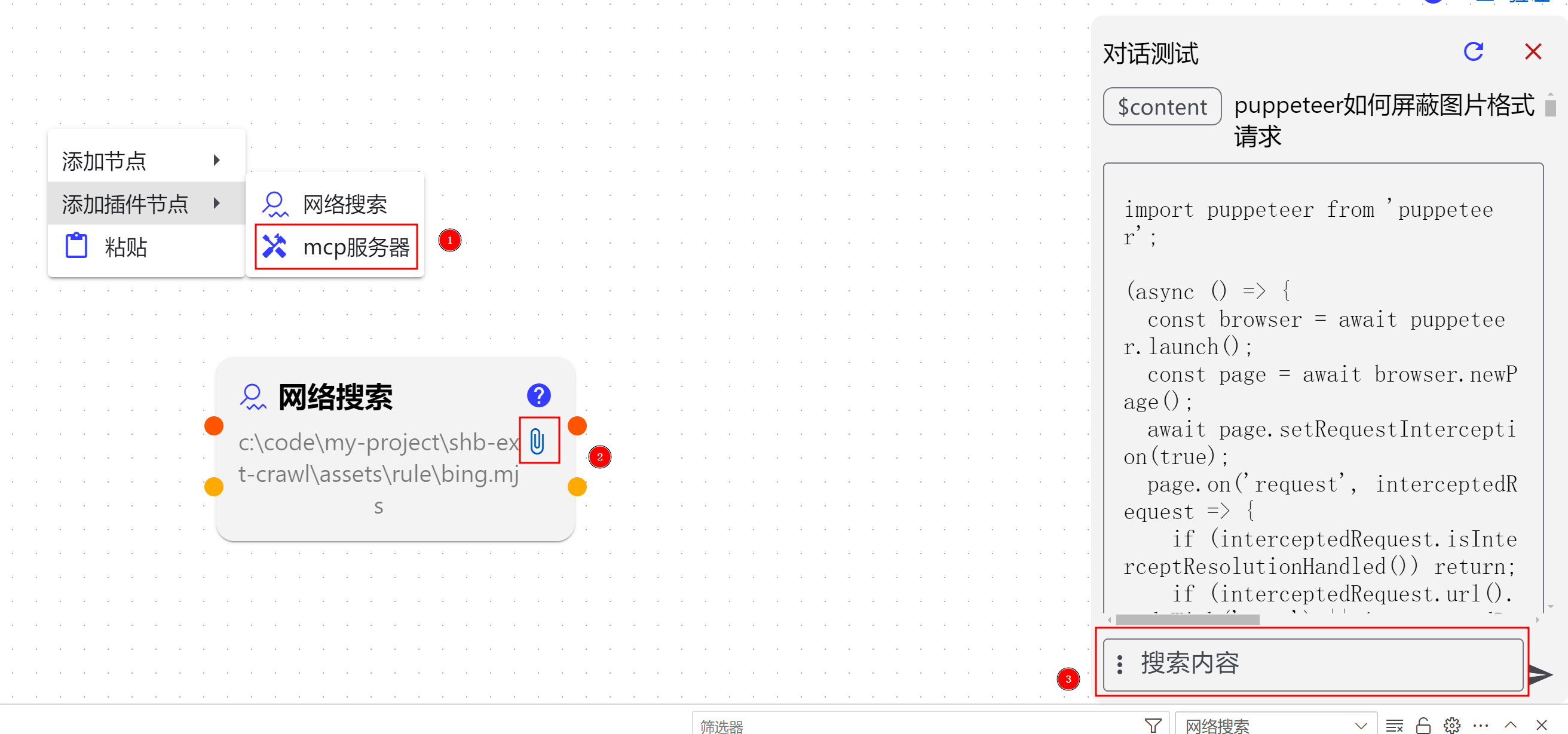
安装后
- 打开一个工作流,右键选择插件
- 点击
回形针图标,选择规则
您可以在
C:\Users\<你的账户>\.ShengHuaBi\extensions\wszgrcy.shb-crawl-xxx中找到对应规则.但是实际过程中我发现,插件如果更新后版本就变了,就容易使用老的规则
您可以直接复制以下代码,创建为
bing.mjs然后选择
/**
 * @typedef {import('../../src/type').CrawlRule} CrawlConfig
 */

/**
 * @type {CrawlConfig}
 */
const myObject = {
  global: { maxTimeout: 60_000 },
  actions: [
    { type: 'setViewport', width: 1920, height: 1080 },
    { type: 'goto', url: 'https://www.bing.com', waitUntil: 'load' },
    { type: 'wait', config: { mode: 'selector', selector: 'h1 svg' } },
    { type: 'click', selector: 'form textarea' },
    { type: 'type', selector: 'form textarea', text: { source: 'variable', key: '$content' }, delay: 100 },
    { type: 'keypress', key: 'Enter' },
    { type: 'wait', config: { mode: 'selector', selector: 'main ol>li:has(h2) h2 a[href]' } },
    { type: 'wait', config: { mode: 'networkIdle', idleTime: 200, concurrency: 2 } },
    { type: 'selector', selector: 'main ol>li:has(h2) h2 a[href]', output: 'list', multi: true },
    { type: 'findData', kind: 'property', key: 'href', input: 'list', output: 'urlList' },
    {
      type: 'page',
      actions: [
        { type: 'setViewport', width: 1920, height: 1080 },
        { type: 'goto', url: { source: 'variable', key: '$item' }, waitUntil: 'networkidle2' },
        { type: 'getContent', output: 'data', cleanContent: true, format: 'markdown' },
        { type: 'extractMessage', output: 'data', input: 'data' },
      ],
      input: 'urlList',
      concurrency: 1,
    },
  ],
  inputs: [
    {
      label: '搜索内容',
      value: '$content',
    },
  ],
};

export default myObject;
- 输入内容搜索
- 默认只有一个输入变量(搜索内容),2个输出变量,一个是列表,一个是字符串,方便接其他节点使用


